
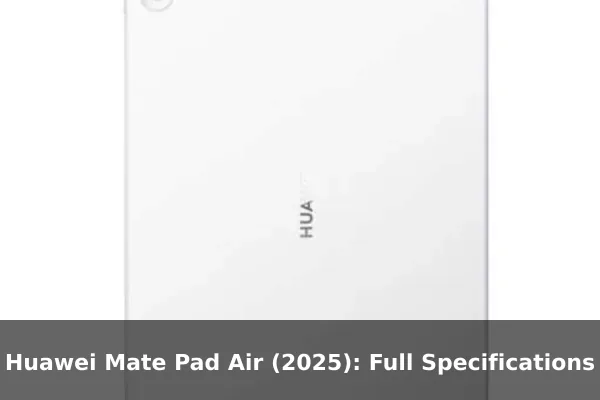
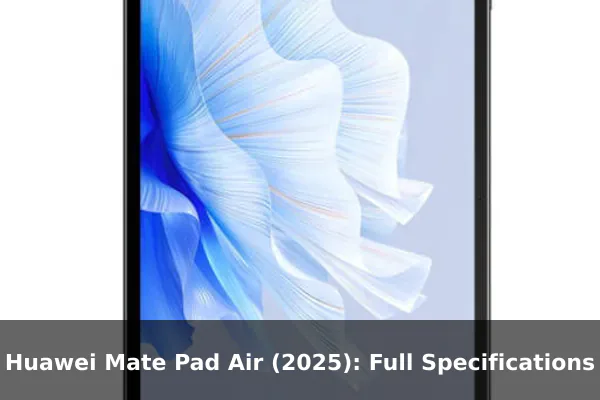
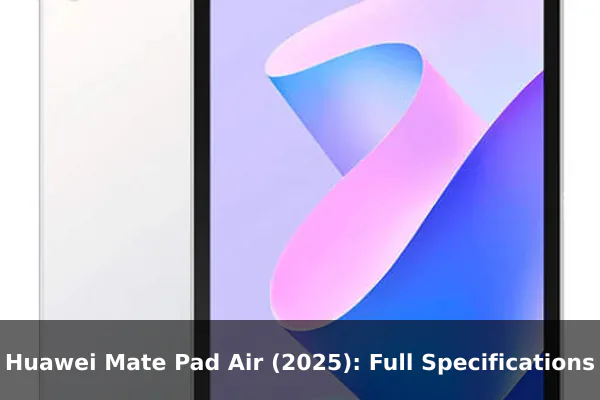
The Huawei Mate Pad Air (2025) is a large-screen HarmonyOS tablet built around portability, stylus work, and media use rather than cellular mobility. Its headline mix includes a 12.0-inch 3:2 IPS LCD, a slim aluminum body, Wi-Fi 7 support, six-speaker audio, and a 10100 mAh battery.
Because this model has no SIM slot and no cellular network support, it should be viewed as a Wi-Fi-first productivity slate, not a phone replacement. The supplied specifications point to a device aimed at note-taking, reading, browsing, streaming, and light creative work in a thinner frame than many full-size tablets.
Full Specifications
Network
| Technology: | No cellular connectivity |
| 2G bands: | N/A |
| 3G bands: | N/A |
| 4G bands: | N/A |
| GPRS: | No |
| EDGE: | No |
Launch
| Announced: | 2025, August 15 |
| Status: | Coming soon. Exp. release 2025, August 21 |
Body
| Dimensions: | 270 x 183 x 5.9 mm (10.63 x 7.20 x 0.23 in) |
| Weight: | 555 g (1.22 lb) |
| Build: | Glass front, aluminum frame, aluminum back |
| SIM: | No |
| Stylus support (magnetic) |
Display
| Type: | IPS LCD, 144Hz, 1000 nits (peak), HDR Vivid |
| Size: | 12.0 inches, 426.4 cm2 (~86.3% screen-to-body ratio) |
| Resolution: | 2800 x 1840 pixels, 3:2 ratio (~279 ppi density) |
Platform
| OS: | HarmonyOS 5.0 |
Memory
| Card slot: | No |
| Internal: | 256GB 12GB RAM, 512GB 12GB RAM |
Main Camera
| Dual: | 50 MP, f/1.8, (wide), PDAF 8 MP, f/2.2, (ultrawide) |
| Features: | LED flash |
| Video: | 4K@30fps, 1080p@30fps |
Selfie camera
| Single: | 8 MP, f/2.2 |
| Video: | 1080p@30fps |
Sound
| Loudspeaker: | Yes, with stereo speakers (6 speakers) |
| 3.5mm jack: | No |
| Audio Vivid |
Comms
| WLAN: | Wi-Fi 802.11 a/b/g/n/ac/6/7, dual-band |
| Bluetooth: | 5.2, A2DP, LE, L2HC |
| Positioning: | No |
| NFC: | No |
| Radio: | No |
| USB: | USB Type-C 3.1, OTG, magnetic accessory connector |
Features
| Sensors: | Accelerometer, gyro, proximity (accessories only) |
Battery
| Type: | Li-Po 10100 mAh |
| Charging: | 66W wired, UFCS, 100% in 85 min |
Misc
| Colors: | Pink, Green, White, Gray |
| Models: | LRT-W20, LRT-W30 |
| Price: | About 360 EUR |
Price and Availability
The Huawei Mate Pad Air (2025) offers a compelling combination of features and performance. While the base price is around €360, the actual cost may vary depending on your location and retailer. Below, you’ll find the approximate price of the Huawei Mate Pad Air (2025) converted into various currencies. Please note that these are estimates based on recent exchange rates as of August 8, 2026 and may not reflect the exact price you’ll find at a retailer.
- United States: $416
- Japan: ¥65,654
- United Kingdom: £308
- Australia: A$589
- Canada: C$580
- Taiwan: NT$13,420
- Denmark: kr2.687
- Saudi Arabia: ﷼1,559
- South Korea: ₩587,695
- Germany: €360
- Brazil: R$2.121
- Vietnam: ₫10.833.276
- Kenya: KSh 53,829
- India: ₹39,593
- Indonesia: Rp 7.432.598
- Nigeria: ₦566,635
- Pakistan: ₨115,526
- Philippines: ₱25,290
- Bangladesh: ৳৫১,৪৯৬
Why the Huawei Mate Pad Air (2025) Stands Out
The strongest value angle for the Huawei Mate Pad Air (2025) is its balance between a roomy display, slim construction, and large battery capacity. It is not trying to compete as a camera-first device or a cellular tablet. Instead, it focuses on the parts that matter most for a portable workspace: screen area, pen support, modern Wi-Fi, fast charging, and comfortable everyday handling.
The 12.0-inch panel gives this model a noticeably larger canvas than compact tablets, while the 3:2 aspect ratio is better suited to documents, split-screen work, web pages, PDFs, and note layouts than a narrower entertainment-first format. For readers comparing it with smartphones, the key difference is simple: this is a companion screen for work and media, not a pocket device for calls and mobile data.
Design and Portability
Huawei uses a glass front with an aluminum frame and aluminum back, giving the Mate Pad Air (2025) a more premium physical profile than plastic-bodied budget tablets. At 5.9 mm thick, it is notably thin for a 12-inch-class device. The 555 g weight means it is light enough for a backpack or desk-to-sofa use, although it will still feel more like a small laptop screen than a one-hand reading tablet during long sessions.
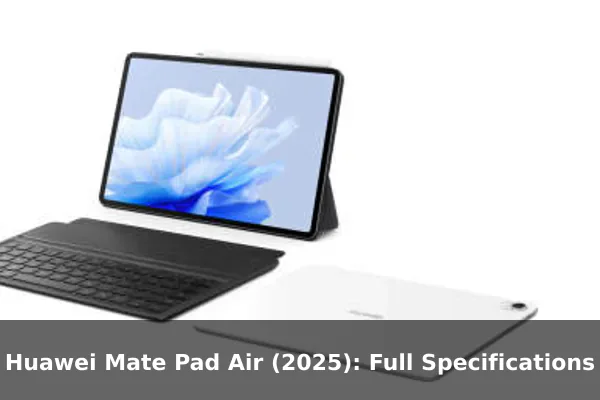
The color selection of Pink, Green, White, and Gray gives the device a broader style range than the usual black-or-silver tablet lineup. Magnetic stylus support is also important for the target audience, because it makes the tablet more practical for handwritten notes, annotation, sketching, and quick document markup. Buyers should still confirm which stylus or keyboard accessories are included in their market, as accessory bundles often vary by region and retailer.
Display Experience
The display is the center of this device. The Mate Pad Air (2025) uses a 12.0-inch IPS LCD with a 2800 x 1840 resolution, a 3:2 ratio, and around 279 ppi pixel density. That combination should keep text, UI elements, spreadsheets, and browser pages sharp enough for everyday productivity. The quoted 1000-nit peak brightness and HDR Vivid support also make the panel more ambitious than a basic tablet LCD.
The 144Hz refresh rate is another major advantage. It can make scrolling, pen strokes, interface animation, and supported games feel smoother than standard 60Hz displays. The 3:2 layout is especially useful for people who work with documents or web tools, because it provides more vertical room than many wide tablets when held horizontally. For video streaming, the aspect ratio may show more letterboxing than a 16:10 screen, but the larger size and stereo speaker setup help offset that tradeoff.
Performance and Storage
The supplied data lists HarmonyOS 5.0 but does not provide a chipset name, so performance should be judged cautiously until region-specific hardware listings or independent tests are available. What is clear is that the tablet is offered with 12GB of RAM and either 256GB or 512GB of internal storage. That memory configuration is generous for multitasking, browser tabs, note apps, media libraries, and office workflows.
There is no card slot, so choosing the right storage tier matters from the start. The 256GB version should be enough for cloud-first users, streaming, notes, and documents, while the 512GB version is the safer choice for offline video, large project files, downloaded courses, or creative apps. Since expandable storage is absent, buyers who keep local media should avoid treating the lower tier as automatically sufficient.
Cameras and Media
The Mate Pad Air (2025) includes a dual rear camera setup with a 50 MP wide camera and an 8 MP ultrawide camera. For a tablet, that is a stronger rear camera arrangement than many models that only include a basic document scanner. It should be useful for capturing notes, whiteboards, receipts, reference images, and occasional outdoor photos, although a modern smartphone will still be the better primary camera for most people.
The 8 MP front camera records up to 1080p at 30fps, which is suitable for video calls, online classes, and meetings. Rear video goes up to 4K at 30fps, with 1080p at 30fps also listed. Audio is likely to be the more important media feature: the tablet has six stereo speakers and Audio Vivid support, but no 3.5mm headphone jack. Users with wired headphones will need USB-C audio or a compatible adapter.
Battery and Charging
The 10100 mAh battery is one of the most practical reasons to consider this device. A screen this large needs a serious battery if it is expected to handle work sessions, streaming, reading, or note-taking away from a charger. Huawei also lists 66W wired charging with UFCS support and a claimed full charge in 85 minutes, which is quick for a tablet battery of this size.
Real endurance will depend heavily on brightness, refresh rate behavior, speaker volume, Wi-Fi use, and whether the tablet is used for reading, video, drawing, or multitasking. Still, the capacity and charging specification suggest a device designed for longer daily sessions rather than short casual use. The absence of cellular hardware may also help standby efficiency when used primarily on Wi-Fi.
Software and Accessories
HarmonyOS 5.0 is the listed operating system, placing the Mate Pad Air (2025) inside Huawei’s own software ecosystem. That is important for buyers who already use Huawei phones, laptops, earbuds, or cloud services, because the tablet’s value may increase when paired with other Huawei devices and accessories.
For buyers outside Huawei’s ecosystem, app availability should be checked before purchase. The hardware is clearly designed for productivity, but the software fit depends on the apps a user needs for school, work, messaging, streaming, cloud storage, and creative tasks. The magnetic accessory connector and stylus support make the tablet more flexible, but the final experience will depend on accessory pricing and local compatibility.
Connectivity and Limits
This is a no-cellular-connectivity device. There are no 2G, 3G, or 4G bands, no SIM support, no GPRS, and no EDGE. It also lacks positioning, NFC, and radio support. That makes the Mate Pad Air (2025) a poor fit for users who need always-connected navigation, mobile payments, or standalone data access away from Wi-Fi.
Its wireless strengths are elsewhere. Wi-Fi 802.11 a/b/g/n/ac/6/7 support gives it a strong home, campus, and office networking foundation if paired with a capable router. Bluetooth 5.2 with A2DP, LE, and L2HC is listed for wireless audio and accessories. USB Type-C 3.1 with OTG support adds useful wired expansion for storage, hubs, and peripherals, while the magnetic accessory connector is aimed at keyboard or dock-style add-ons.
Who Should Buy It?
The Huawei Mate Pad Air (2025) makes the most sense for students, note-takers, remote workers, readers, and media users who want a large display in a thin body. It is especially appealing if the buyer values smooth scrolling, stylus input, long battery life, and fast charging more than cellular connectivity or pocket portability.
It is less suitable for users who want a tablet to replace a phone, need Google-dependent workflows without checking compatibility, rely on GPS, or want expandable storage. It is also not the obvious choice for serious mobile photography. The best buyer is someone who already knows they want a Wi-Fi tablet for documents, study, browsing, streaming, and creative notes.
References
Reference data used for this article includes the supplied source catalog from tampungspekhp.berkasdrive.com, Huawei’s official China MatePad Air specifications page, and Huawei’s official MatePad Air product page. Availability, bundles, and retail pricing can vary by market.
Conclusion
The Huawei Mate Pad Air (2025) is best understood as a slim, large-screen HarmonyOS tablet for Wi-Fi productivity, writing, reading, and entertainment. Its 12.0-inch 144Hz display, 12GB RAM options, six speakers, stylus support, 10100 mAh battery, and 66W charging make it a strong choice for users who do not need cellular connectivity. Recommended for buyers who want a portable tablet workspace first and a mobile-data device second.
